I Was Added as a Team Member. How Do I Access the Site?
Step 1 and 2 of 2
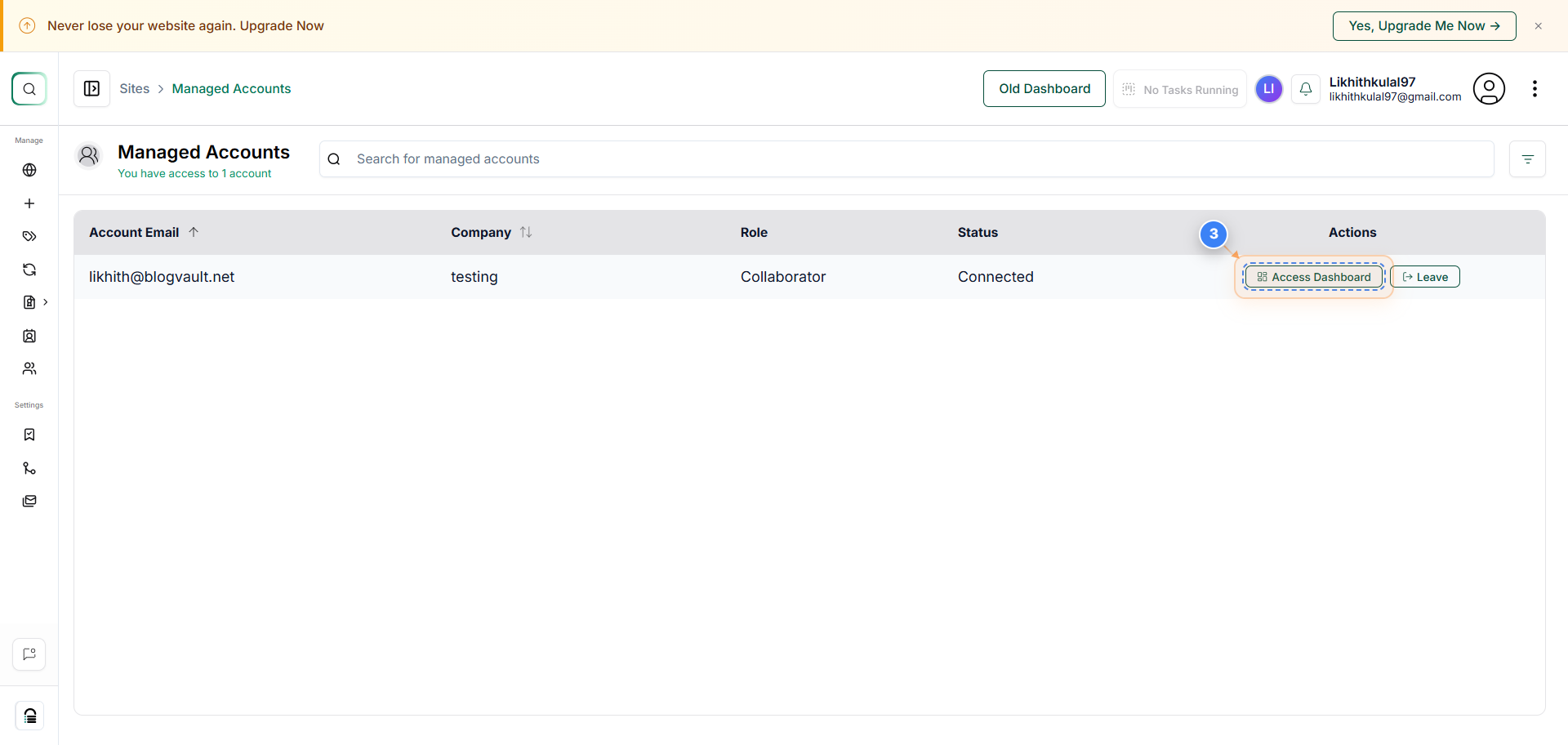
Access Managed Accounts Section
Click on the three dots in the account section, then select the 'Managed Accounts' option to open the list of accounts you manage.
Note: This section allows you to view and manage all connected client or team accounts from one place.
Step 3 of 3
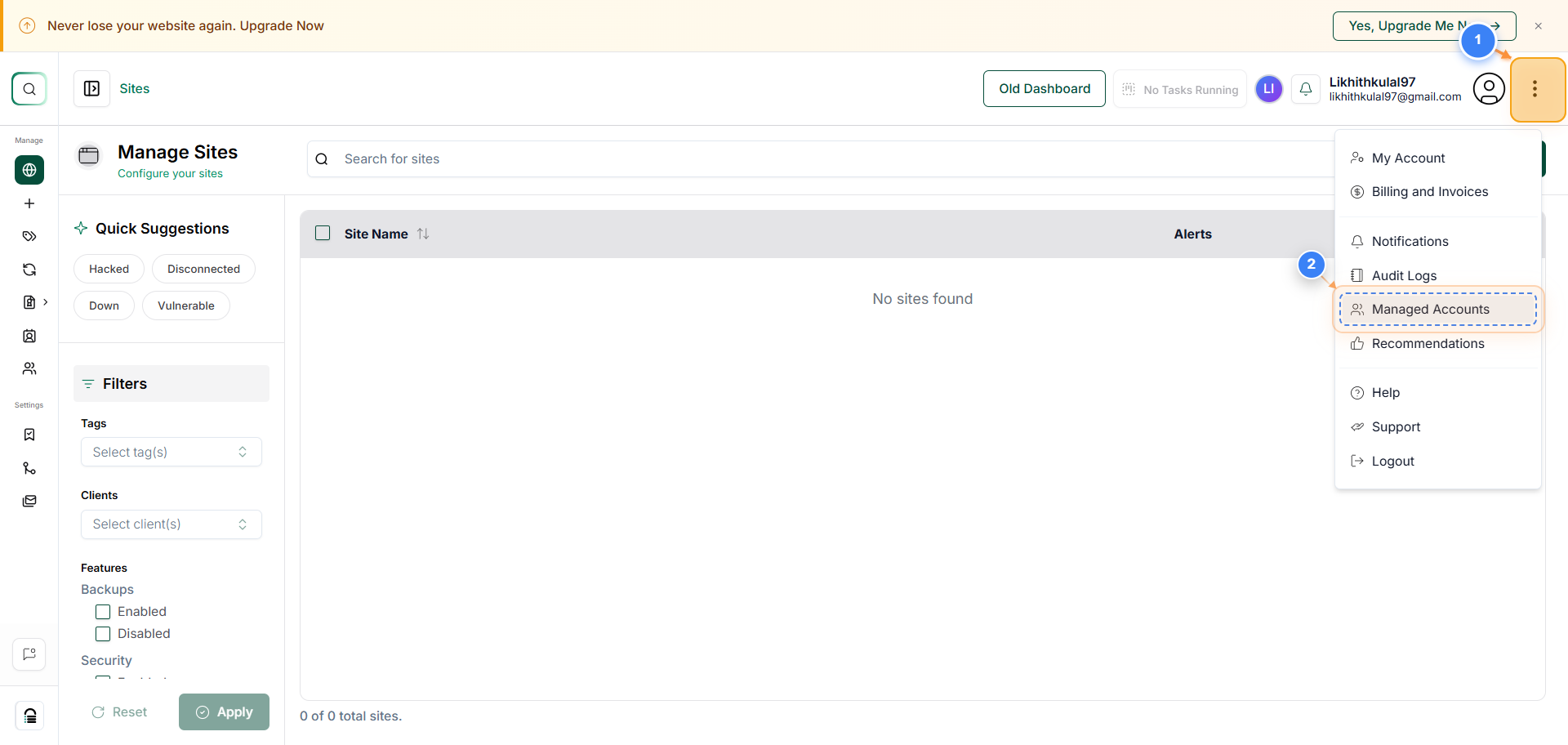
Open Managed Account Dashboard
Click the 'Access Dashboard' button next to the account you want to manage to open its dashboard and view detailed site data.
Note: From the account dashboard, you can access site performance, security, backups, and plugin management options.