How Can I Access the Cleanup Report Once the Cleanup UI Is Closed?
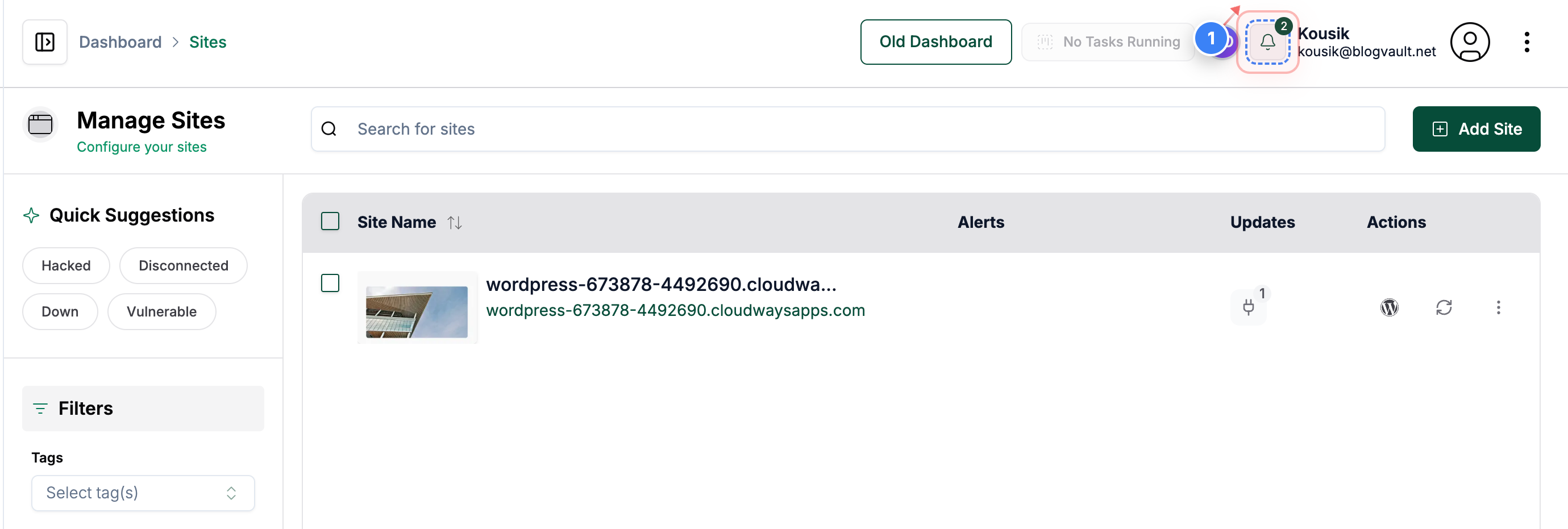
Step 1 of 4
Open Notifications Panel
Click the notifications button in the top-right corner of the dashboard to view recent alerts
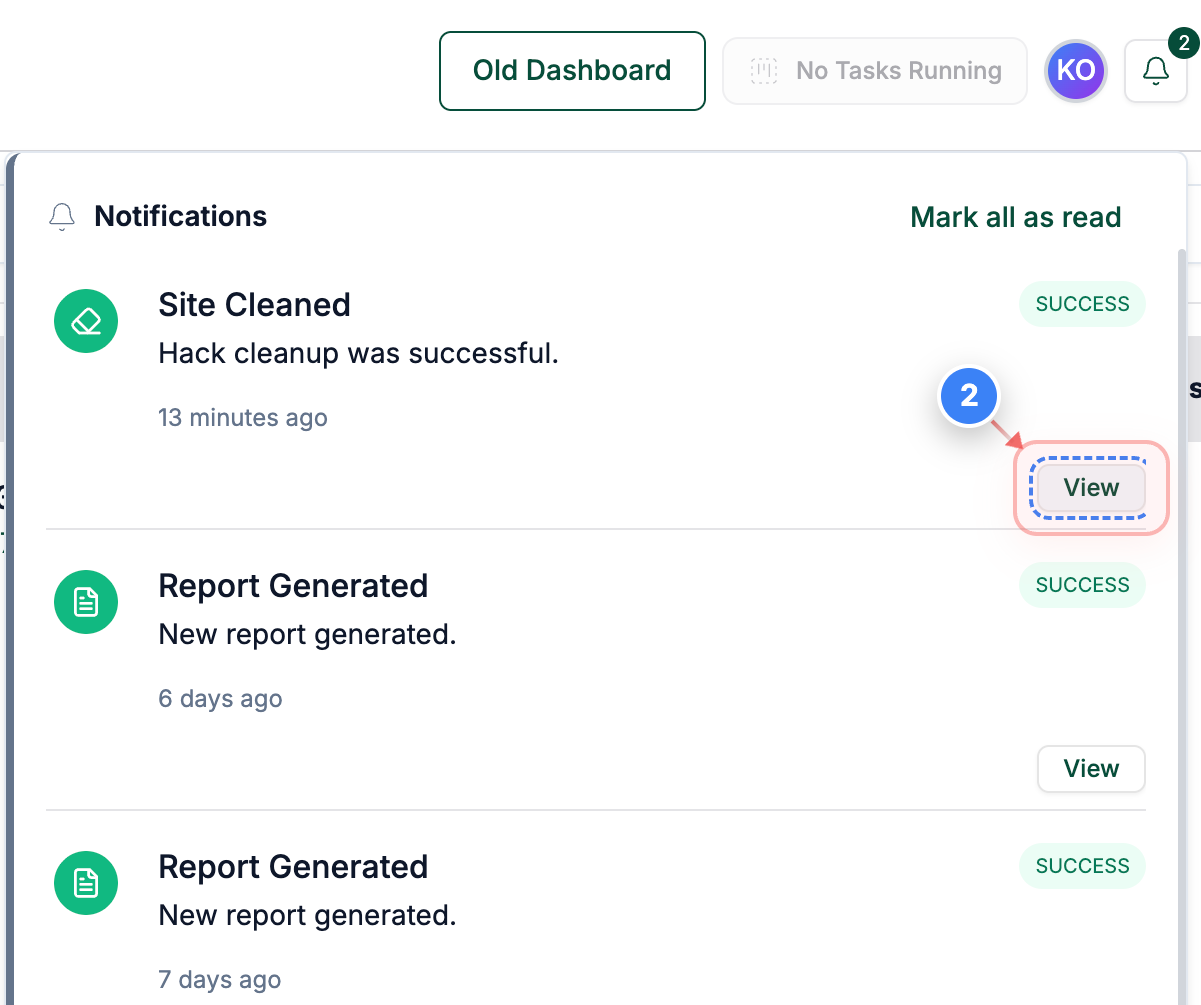
Step 2 of 4
Open Cleanup Details
Click the "View" link on the right side of the notification to open the detailed cleanup task for your site.
Note: This takes you directly to the specific cleanup record associated with the notification.
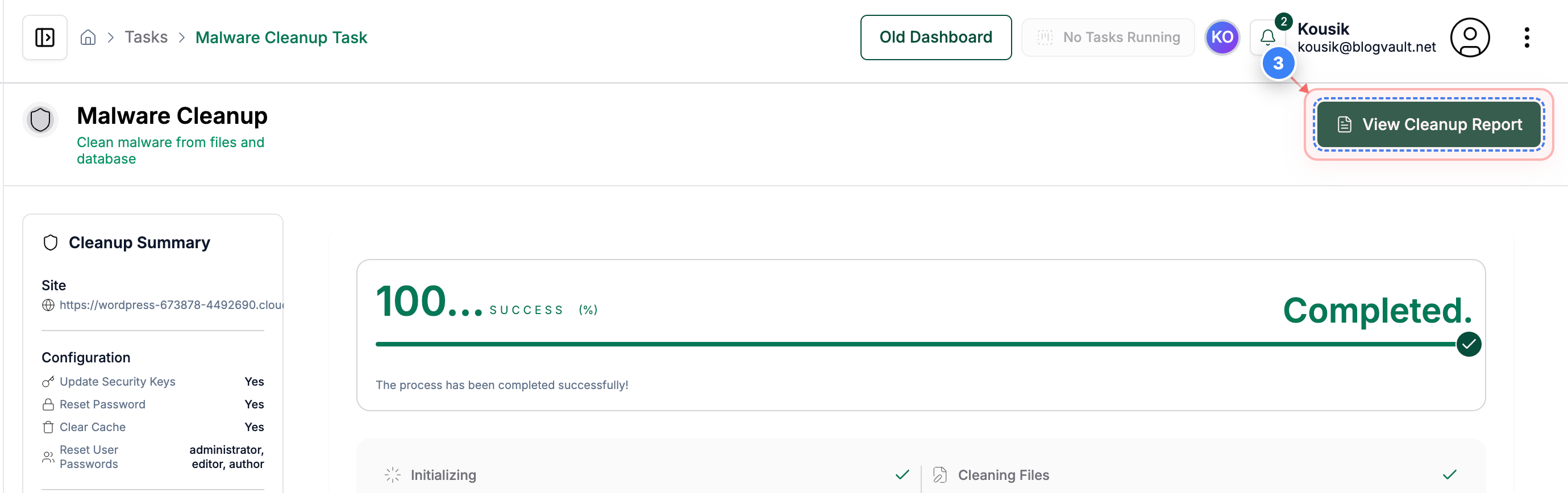
Step 3 of 4
View Cleanup Report
Click the "View Cleanup Report" button in the top-right area of the task page to open the full list of malware cleanup actions.
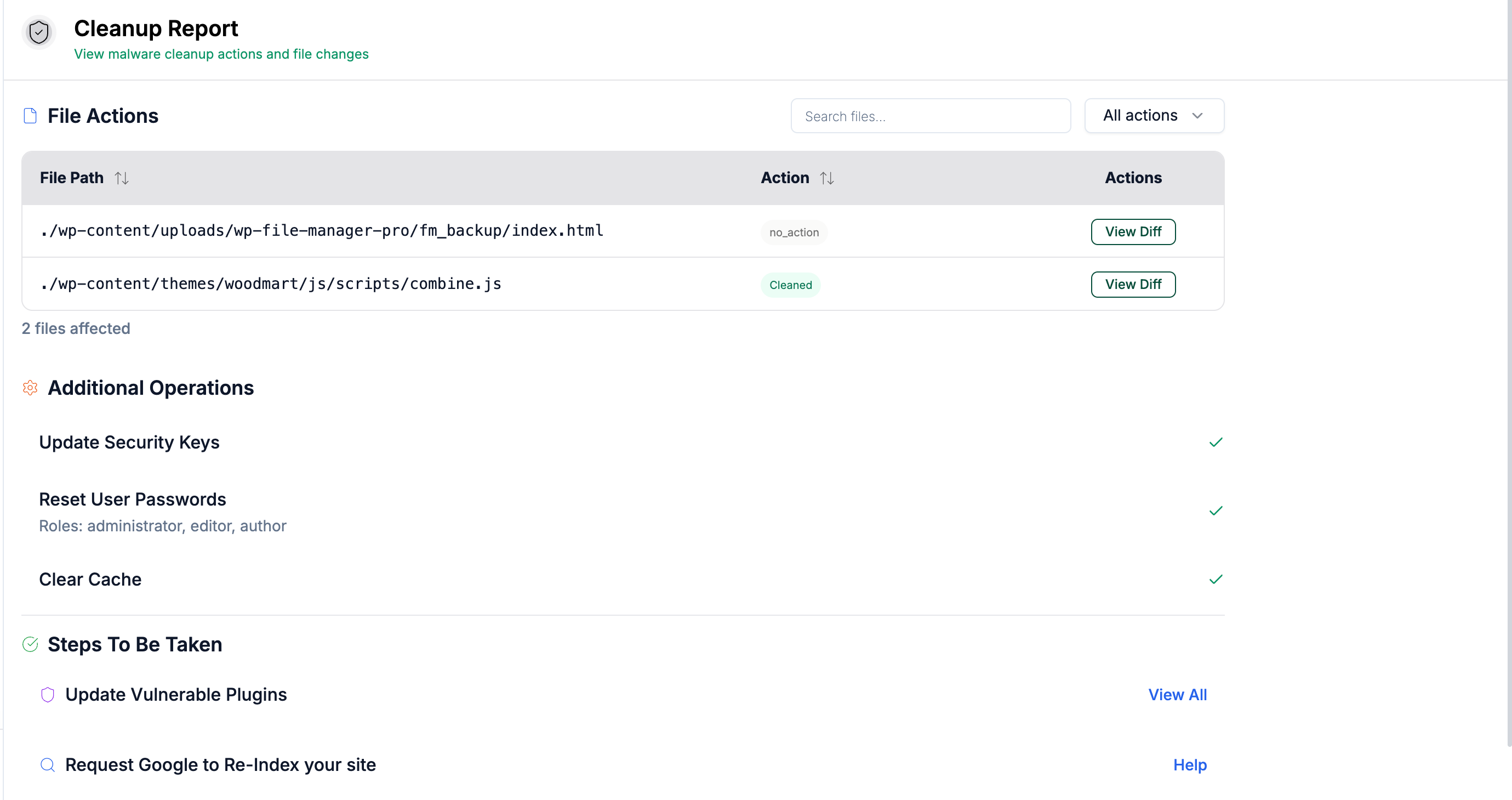
Step 4 of 4
Review Cleanup Results
On the Cleanup Report page, review the table showing all affected files, the actions performed on them, and any recommended follow-up steps such as resetting passwords or updating plugins.
Note: Use the "View Diff" option beside each file to see exactly what was changed during cleanup.