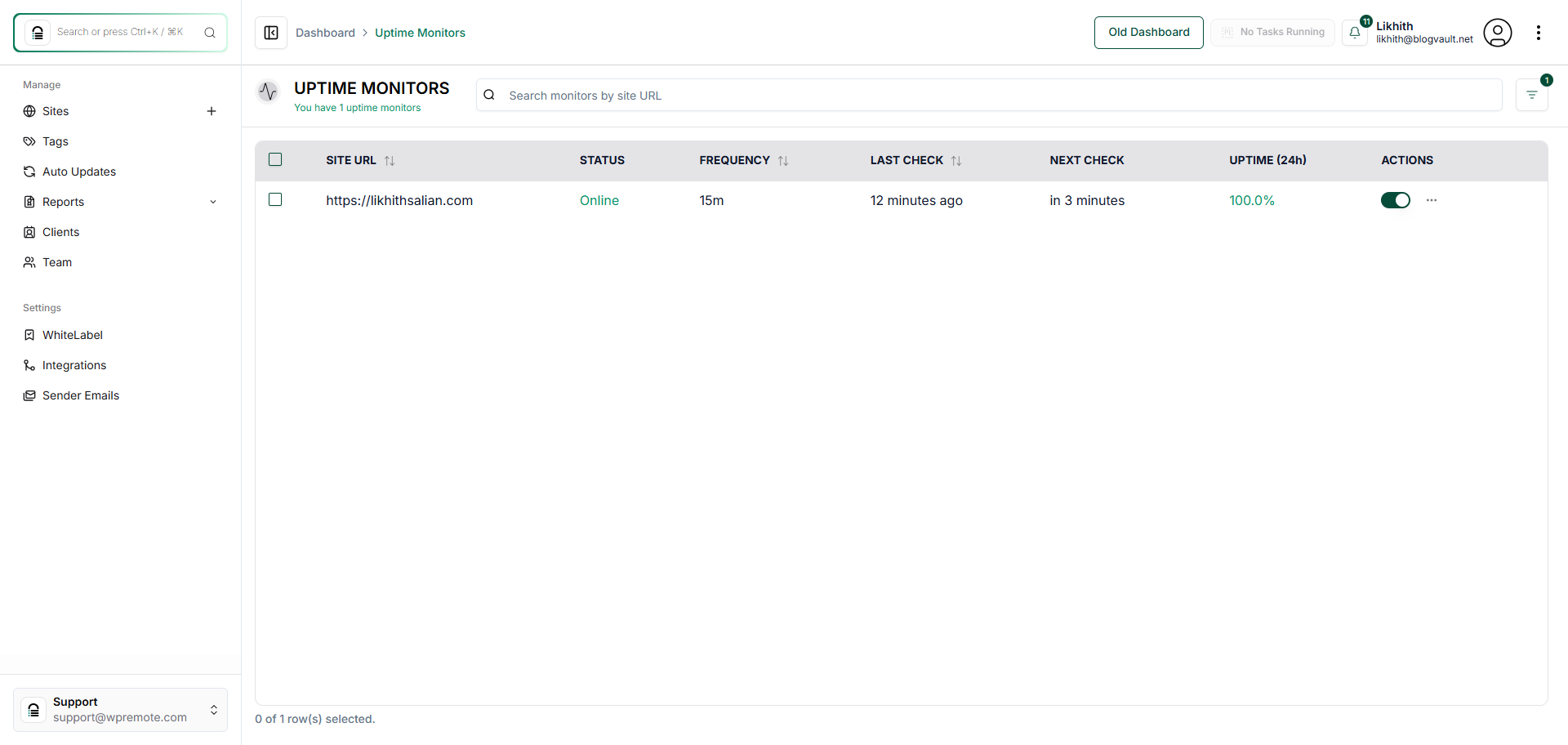
How Do I Check My Website Uptime?
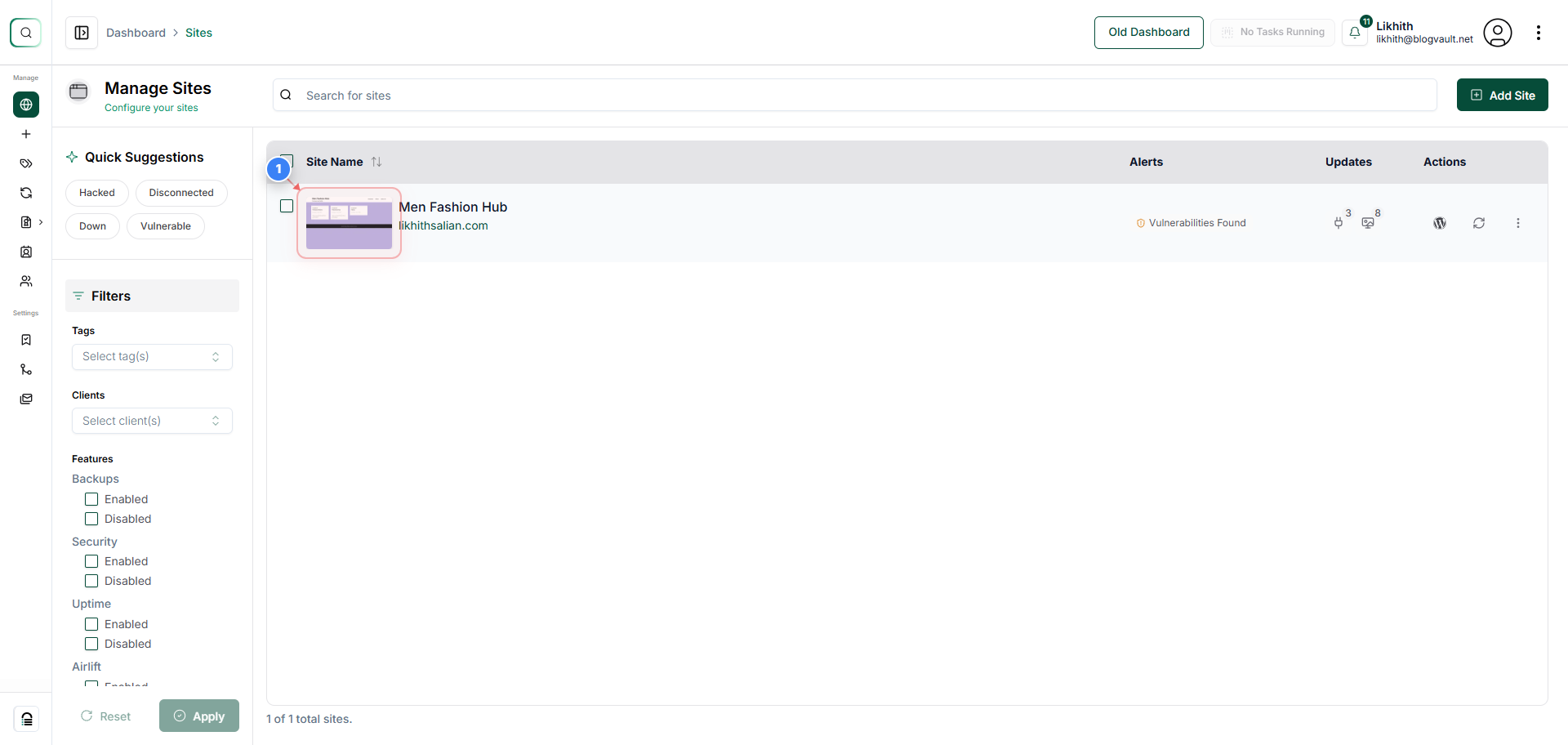
Step 1 of 4
Open the Site Dashboard
Click on your site.
Note: Use the site thumbnail to quickly jump into settings and tools for a specific site.
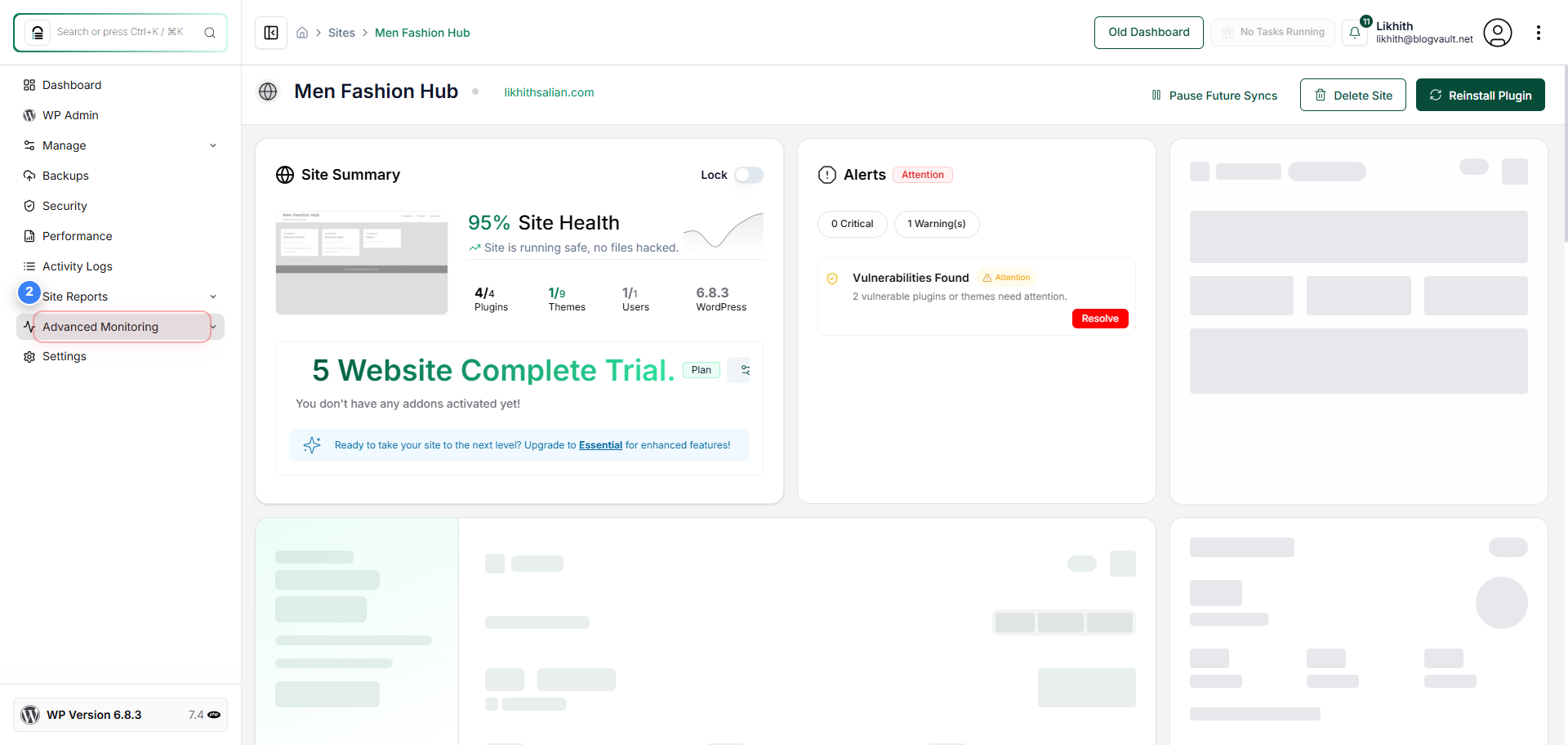
Step 2 of 4
Access Advanced Monitoring
Select the "Advanced Monitoring" option in the left sidebar to view monitoring tools available for the site.
Note: This section includes uptime tracking, visual monitoring, and other diagnostic tools.
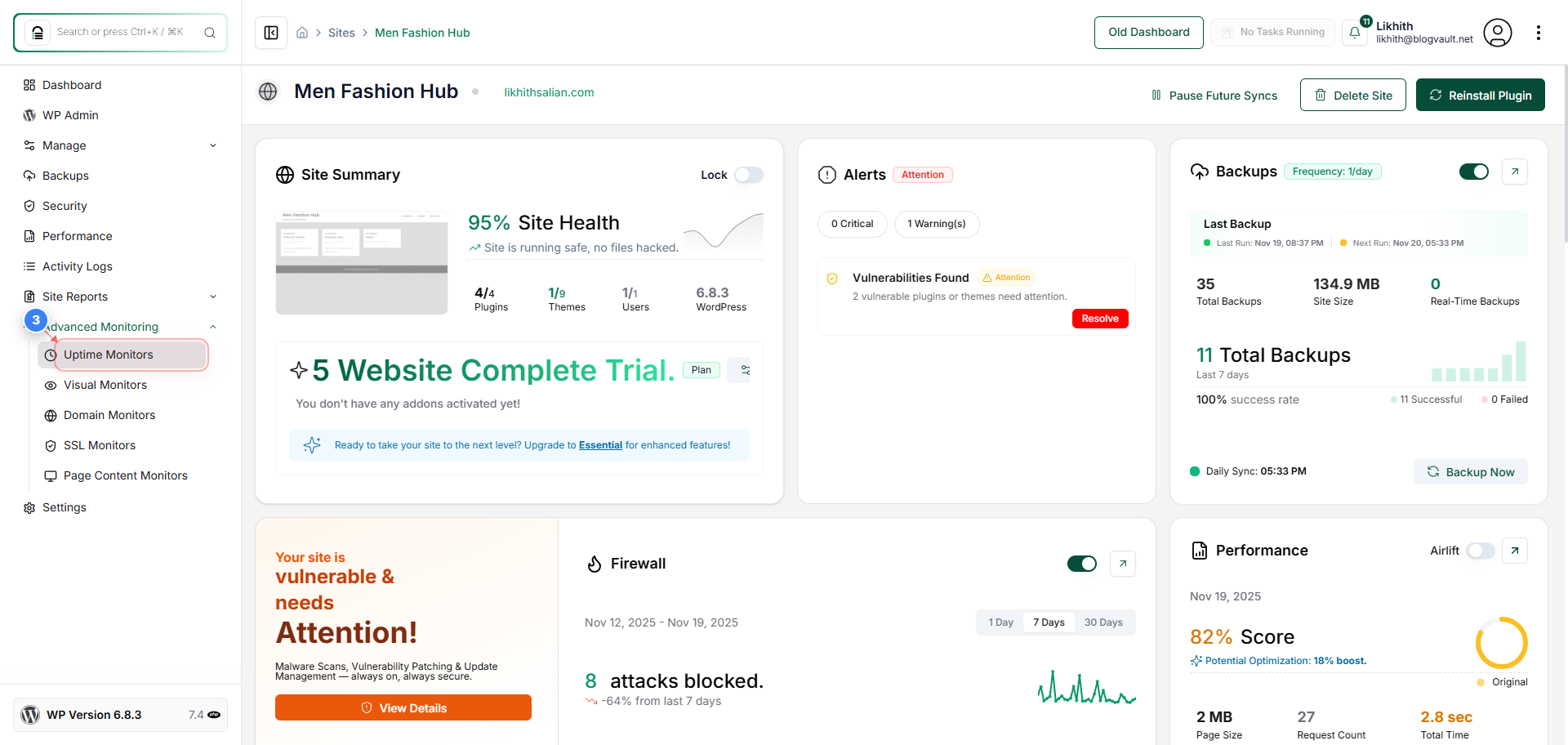
Step 3 of 4
Open Uptime Monitoring Tools
Click "Uptime Monitors" in the Advanced Monitoring section to view uptime status and check intervals for the selected site.
Note: This view helps you confirm whether the site is online and how frequently monitoring checks are performed.
Step 4 of 4
Review Uptime Status
The Uptime Monitors page shows the site's current uptime status, last check time, next scheduled check, and 24-hour uptime percentage.
Note: Verify that the status shows "Online" and confirm the monitoring frequency and timestamps match your expectations.