
How Can I Cancel Automatic Renewal for My Subscription?
Step 1 of 6
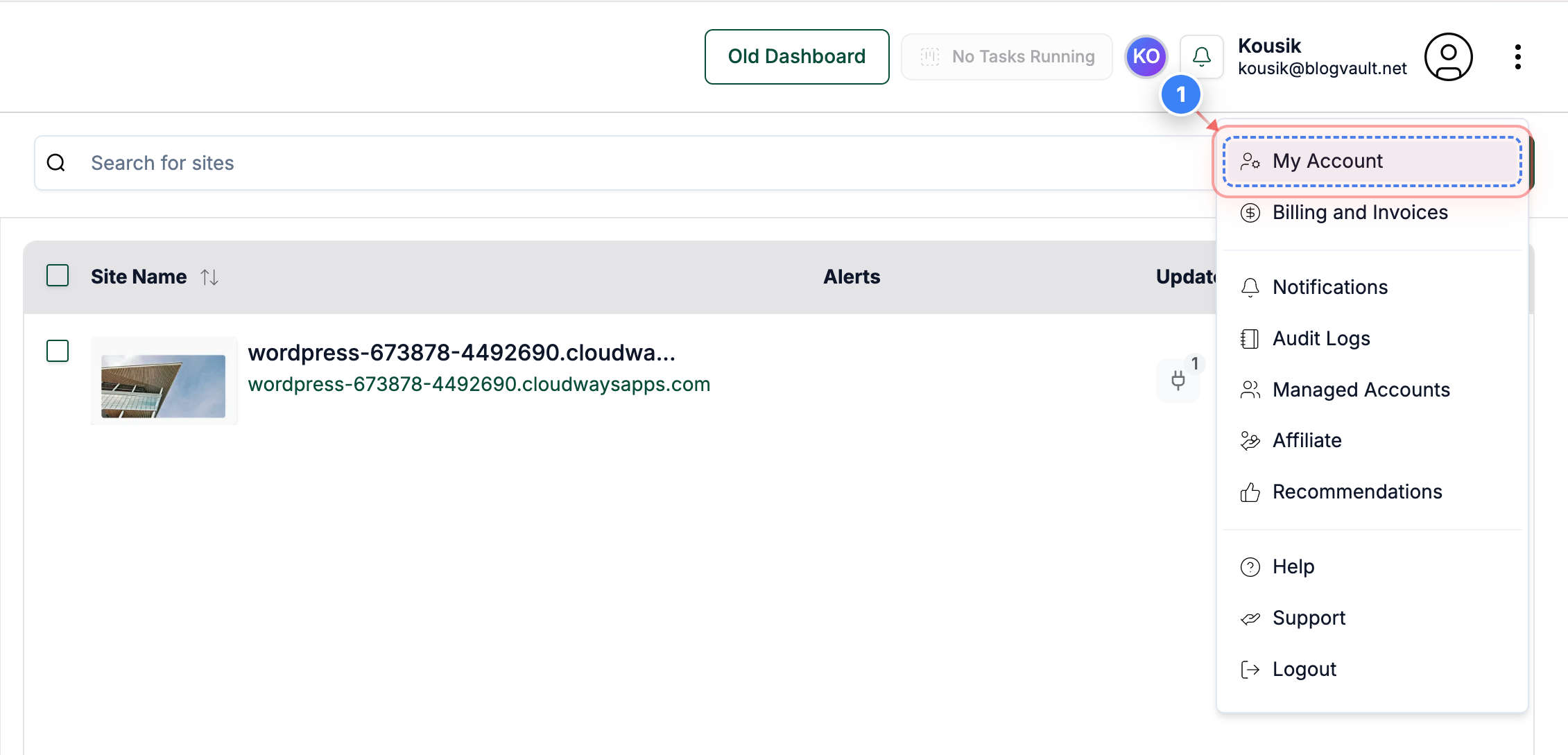
Open My Account
Click the My Account option in the top-right navigation menu to access your account settings.
Step 2 of 6
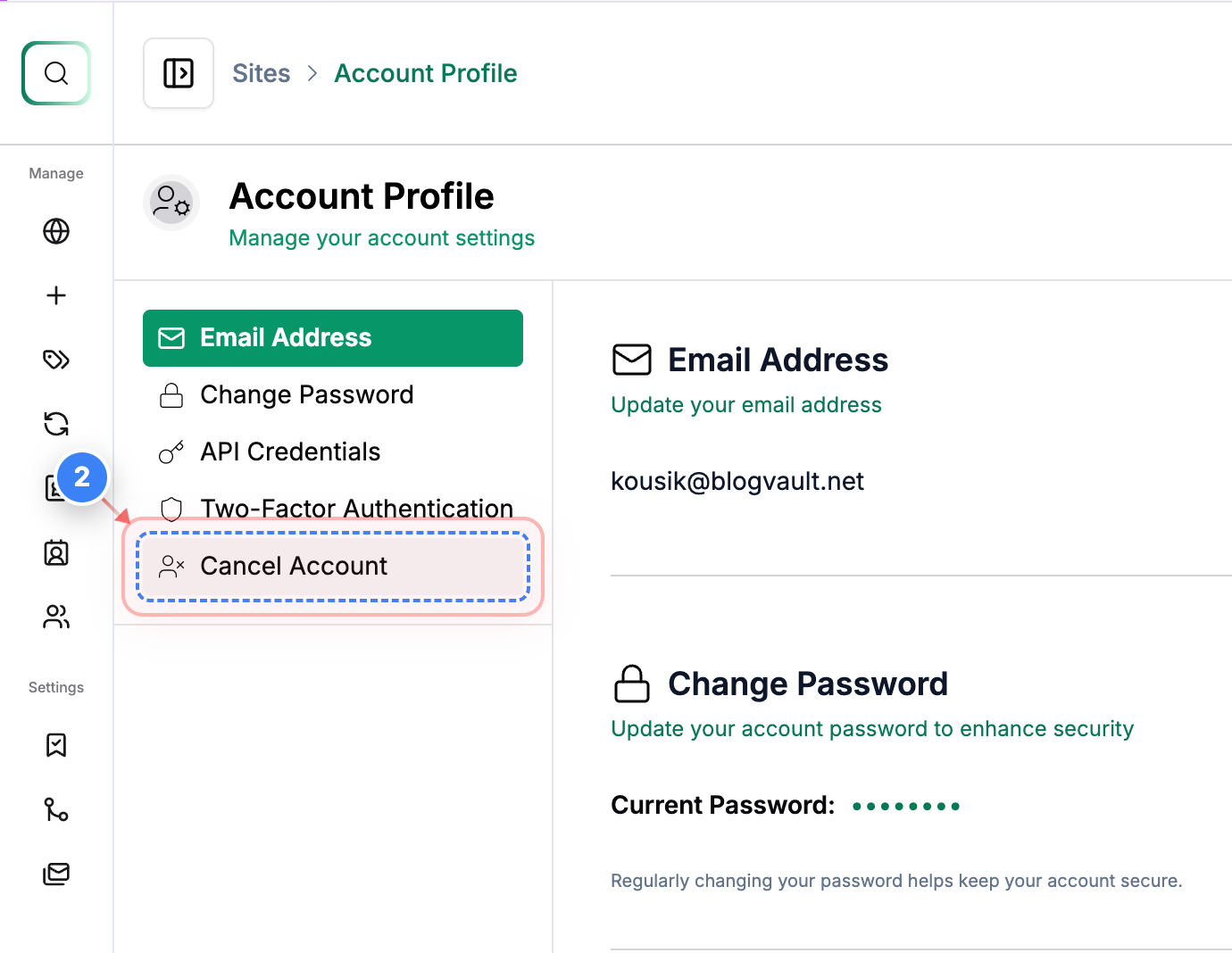
Open Cancel Account
Click the Cancel Account option in the left-side menu to view the available cancellation settings.
Step 3 of 6
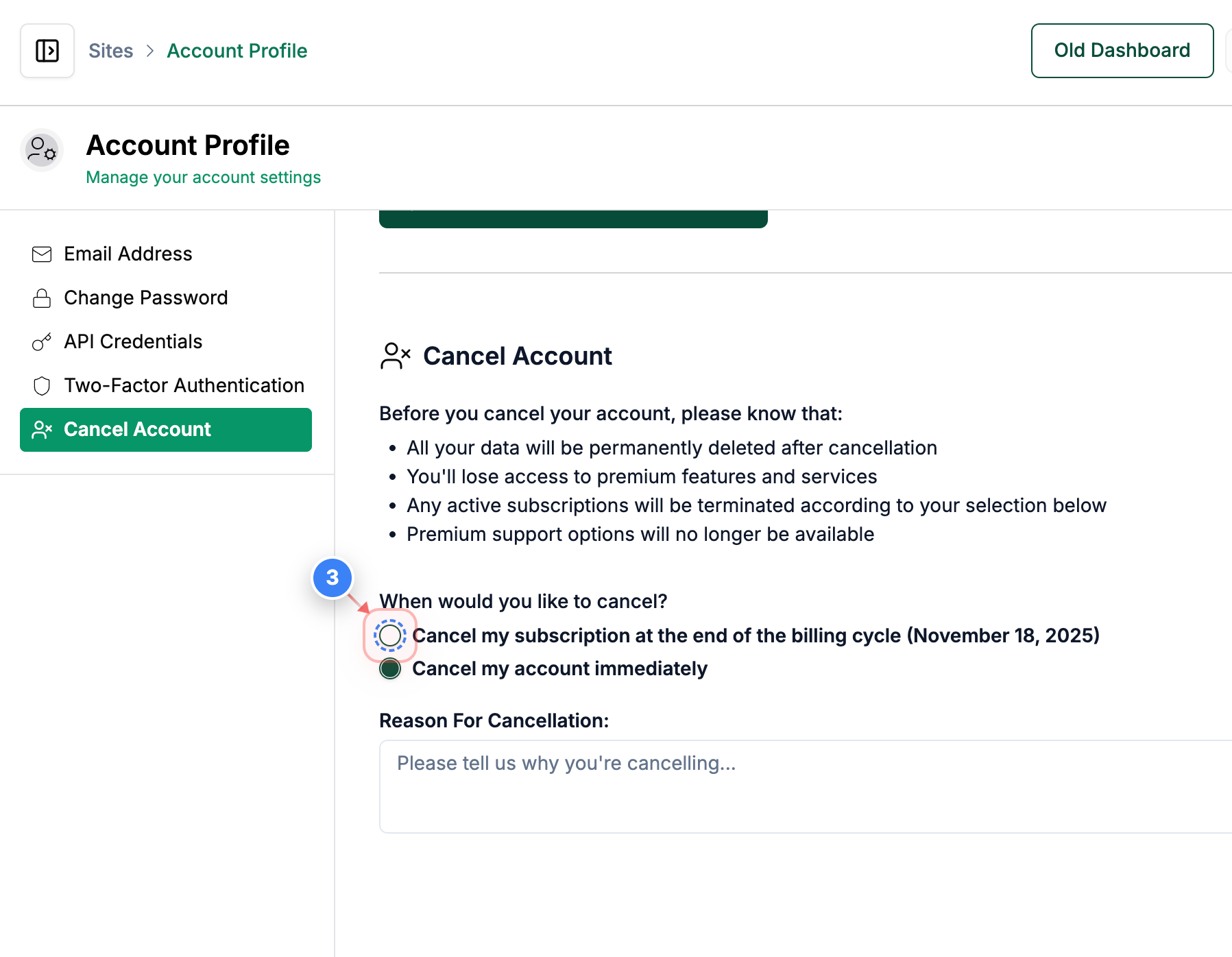
Choose Cancellation Timing
Select the option in the cancellation settings to cancel your subscription at the end of the billing cycle.
Step 4 of 6
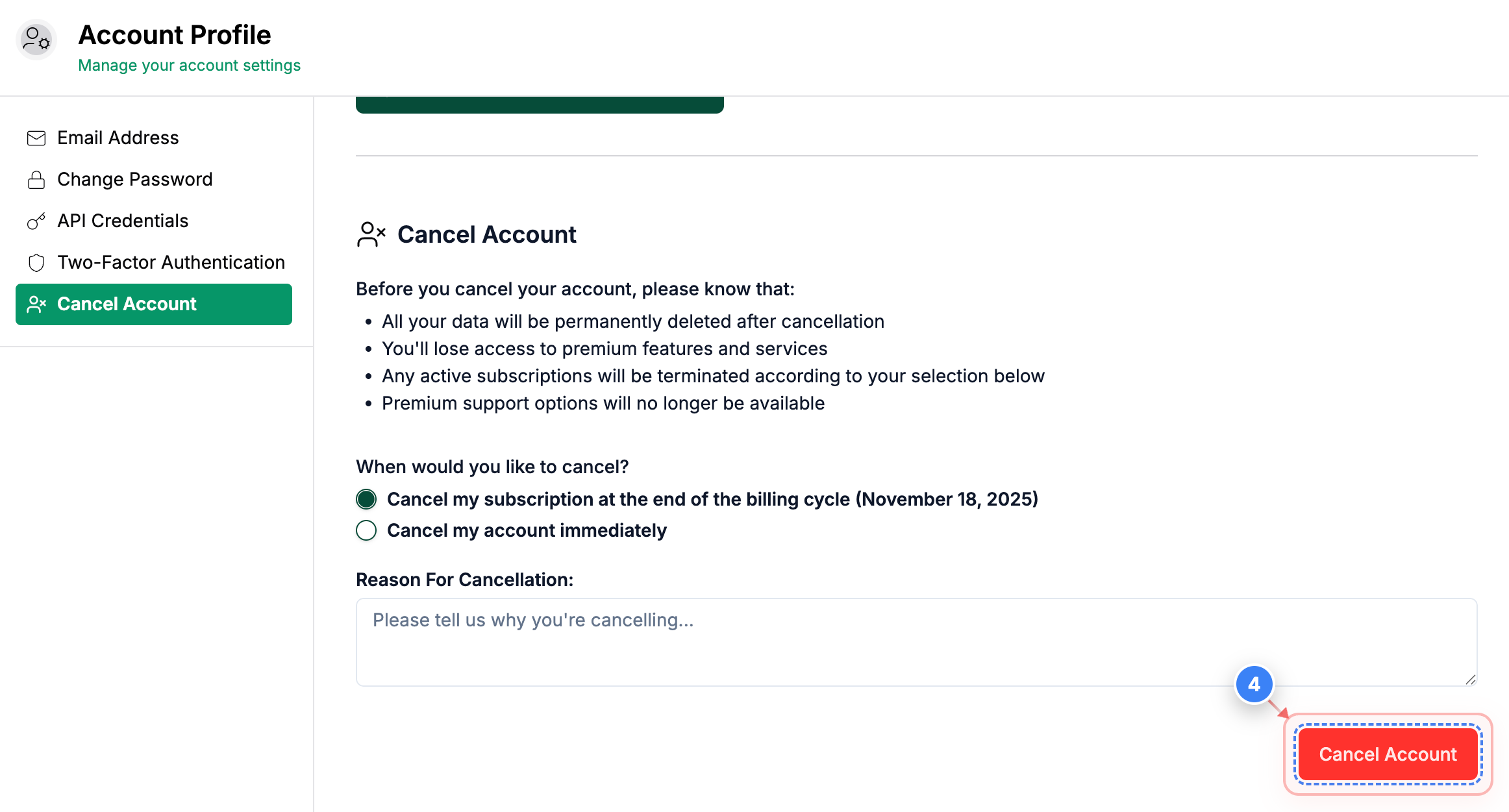
Proceed With Cancellation
Click the Cancel Account button at the bottom of the page to continue with the cancellation process.
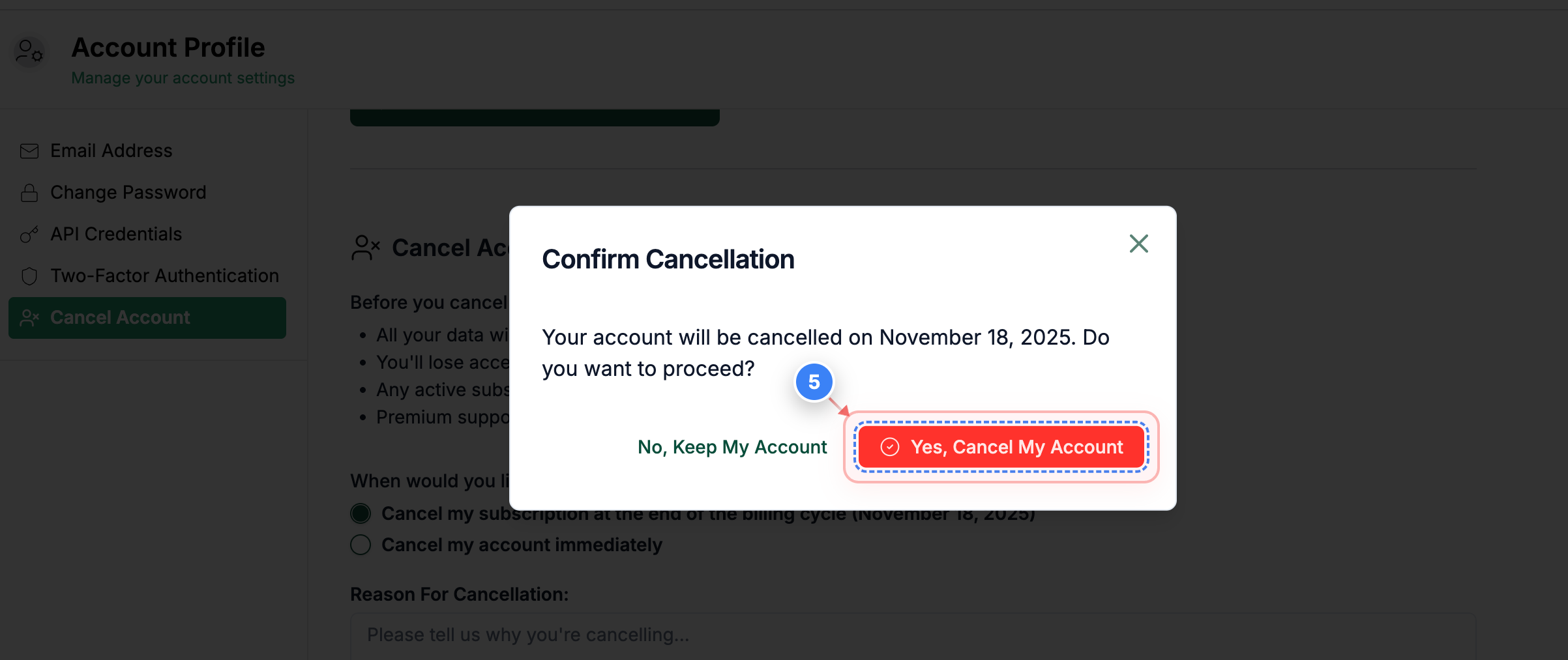
Step 5 of 6
Confirm Final Cancellation
Click the Yes, Cancel My Account button in the confirmation dialog to finalize your cancellation choice.
Step 6 of 6
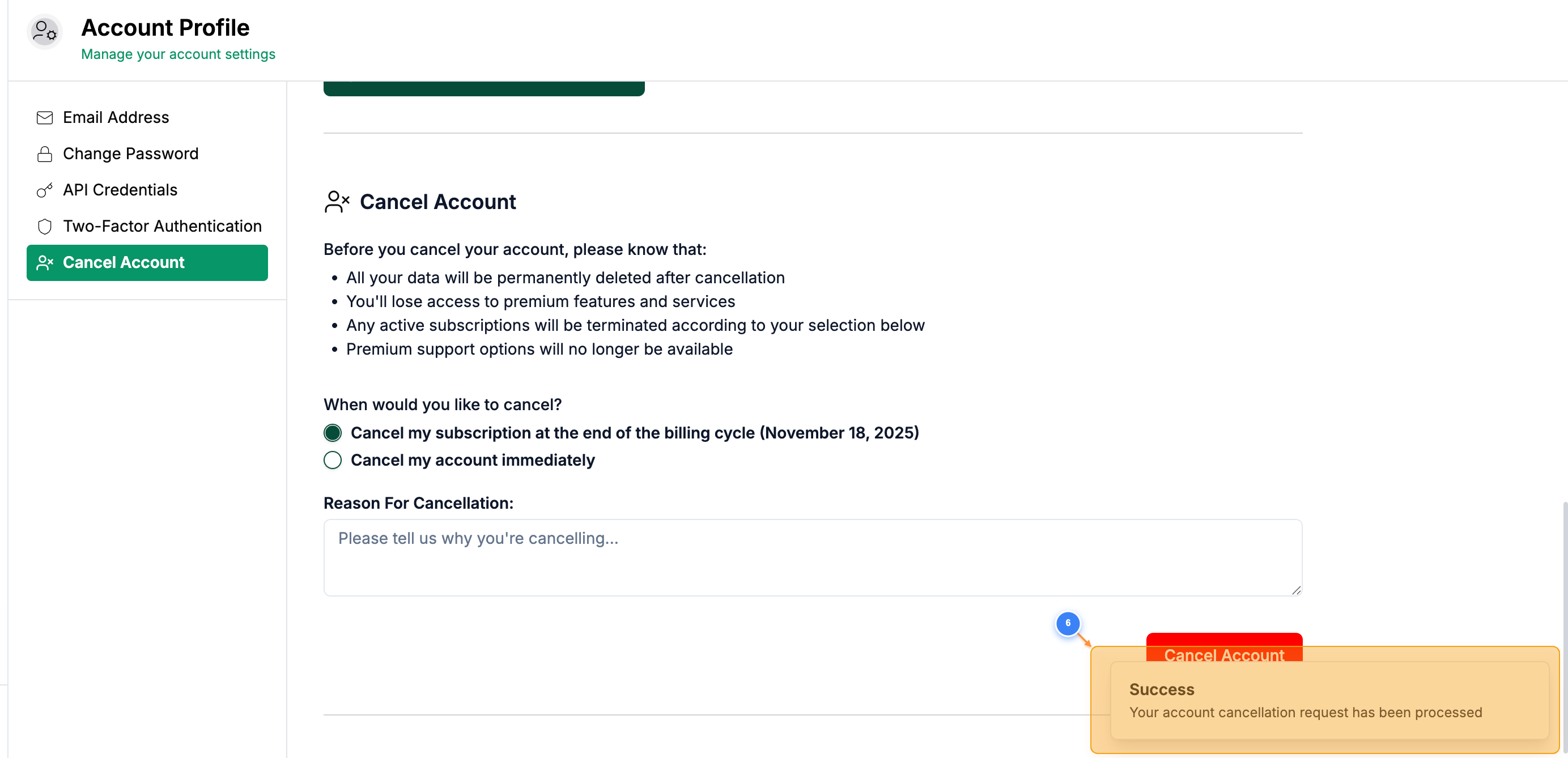
Review Cancellation Status
The account profile page now reflects your updated cancellation status, including the selected cancellation date and remaining account information.
Note: This process will cancel the auto-renewal of your subscription with us. You can still use the premium features till the current subscription is valid.
P.S: If you face any issues while canceling the auto-renewal of your subscription or need any help, you can contact support.