How Do I Disable or Enable Backups?
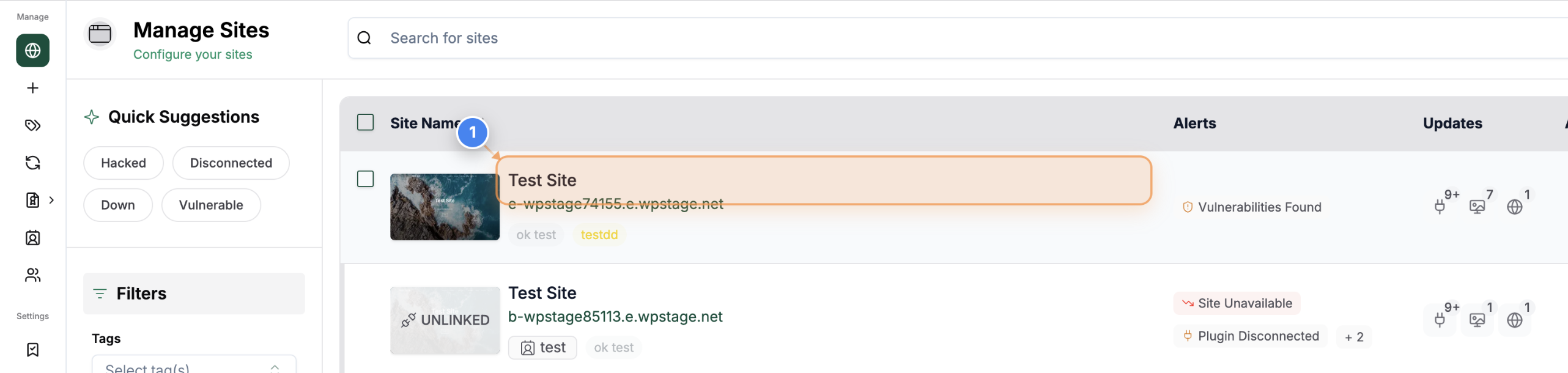
Step 1 of 3
Open Site Dashboard
Click on the site from the Sites Listing page to open its management dashboard and access site tools such as backups and security.
Note: This option is to manage settings or perform actions specific to your selected website.
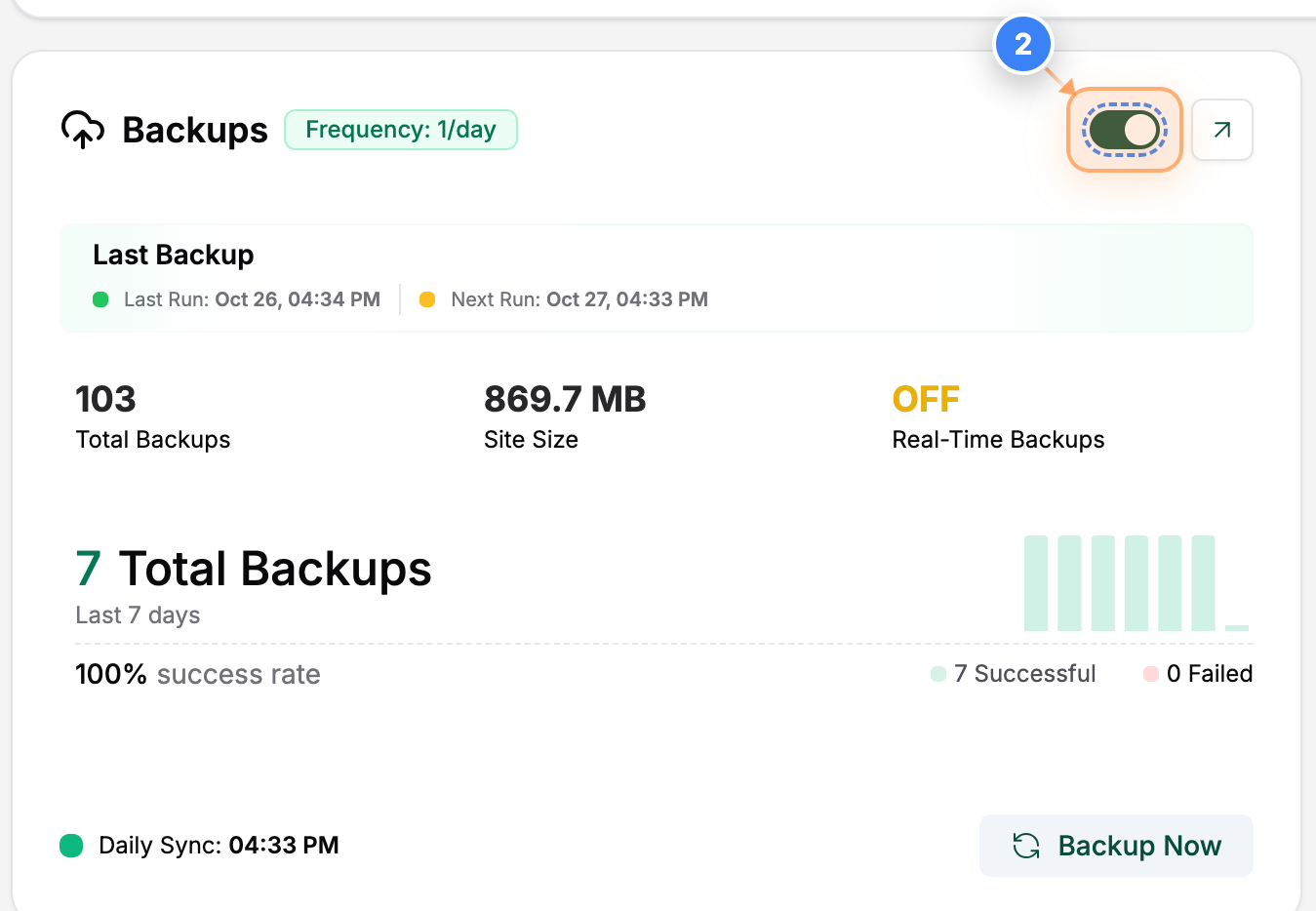
Step 2 of 3
Disable Backups
Click the toggle switch in the Backup section to turn off automatic daily backups for the selected site.
Note: You can re-enable this anytime if you want to resume daily backups automatically.
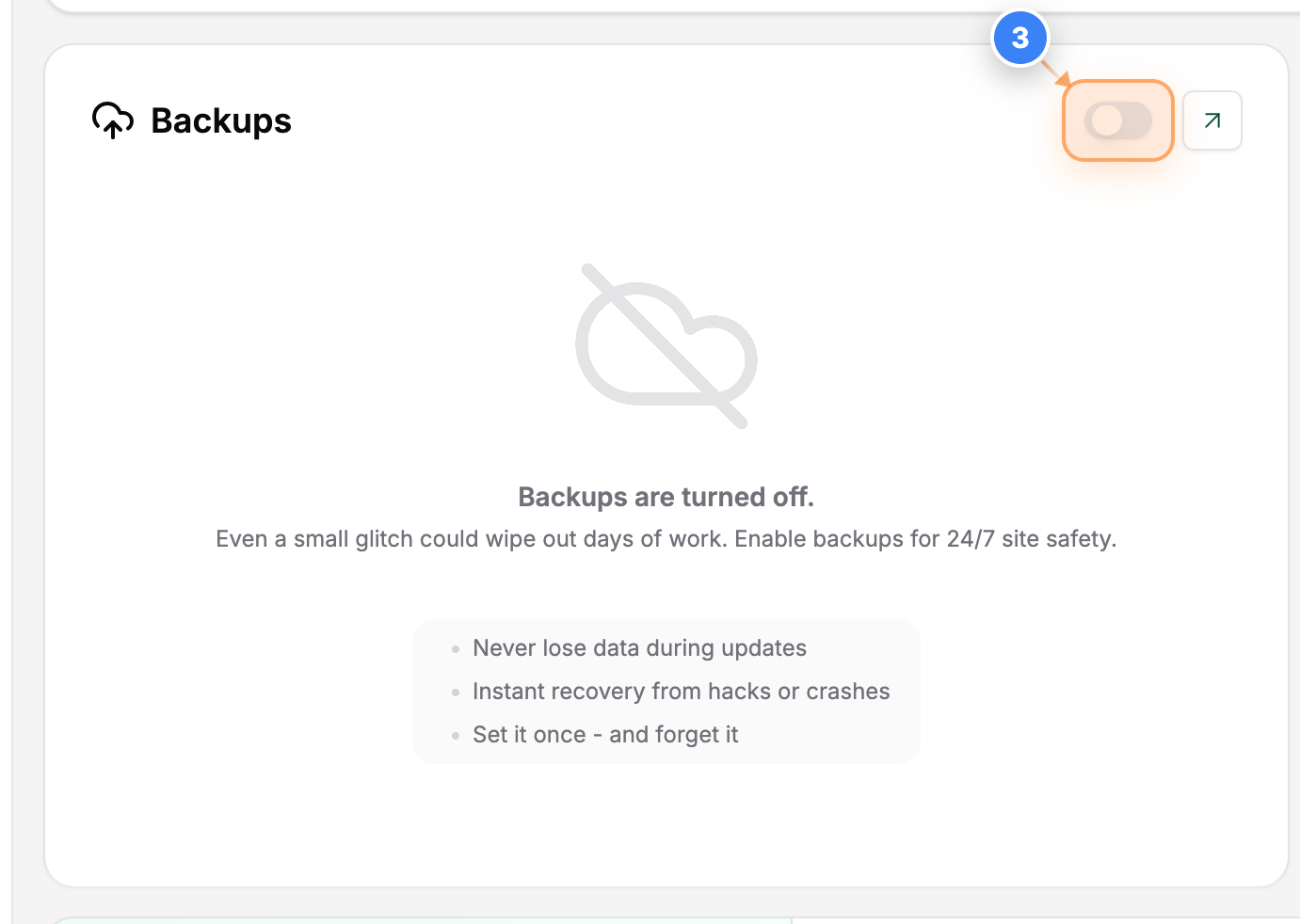
Step 3 of 3
Enable Backups
Click the same toggle switch in the Backup section to turn automatic daily backups back on.
Note: When enabled, it will back up your site automatically as per the schedule.