How Do I Access My Affiliate Dashboard?
Step 1 of 4
Open Affiliate Section
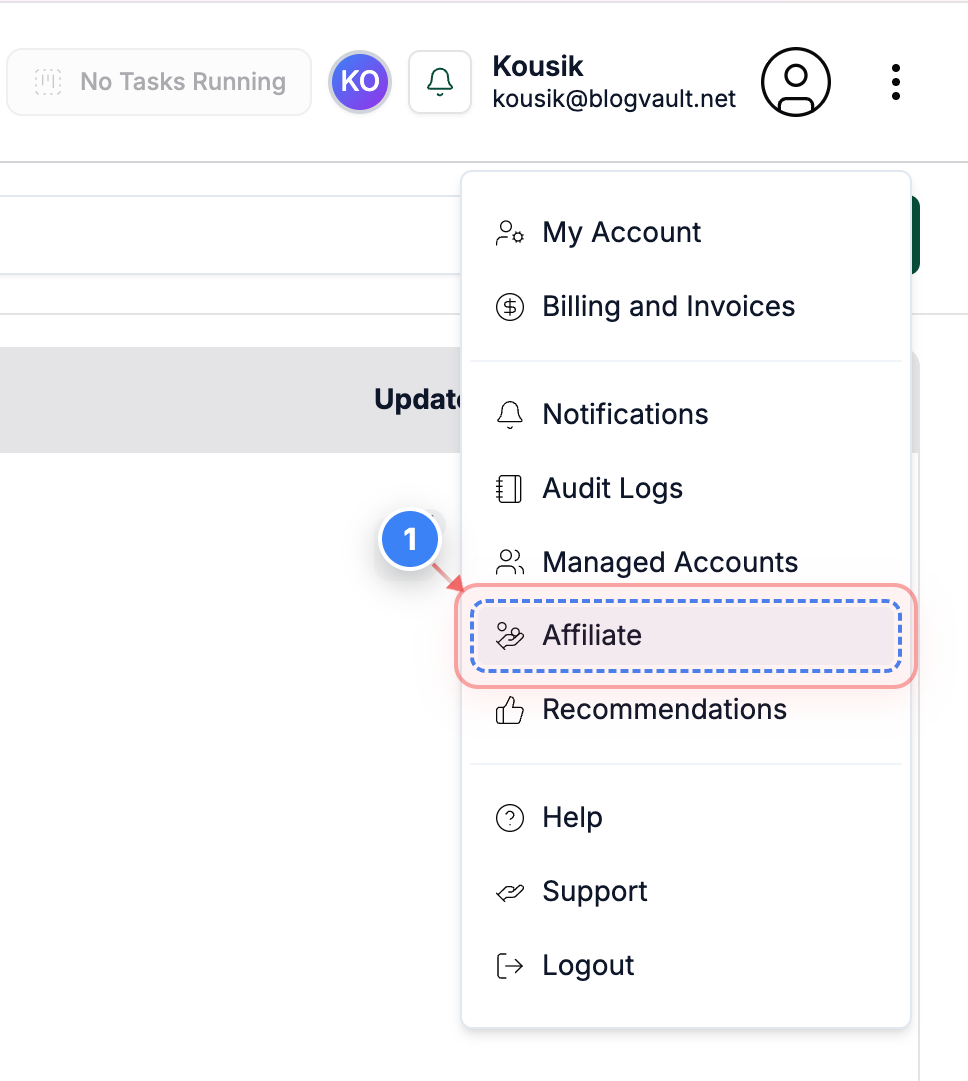
Click the Affiliate option from the menu on the dashboard to access your affiliate dashboard.
Note: This opens all affiliate-related tools and settings.
Step 2 of 4
View Affiliate Overview
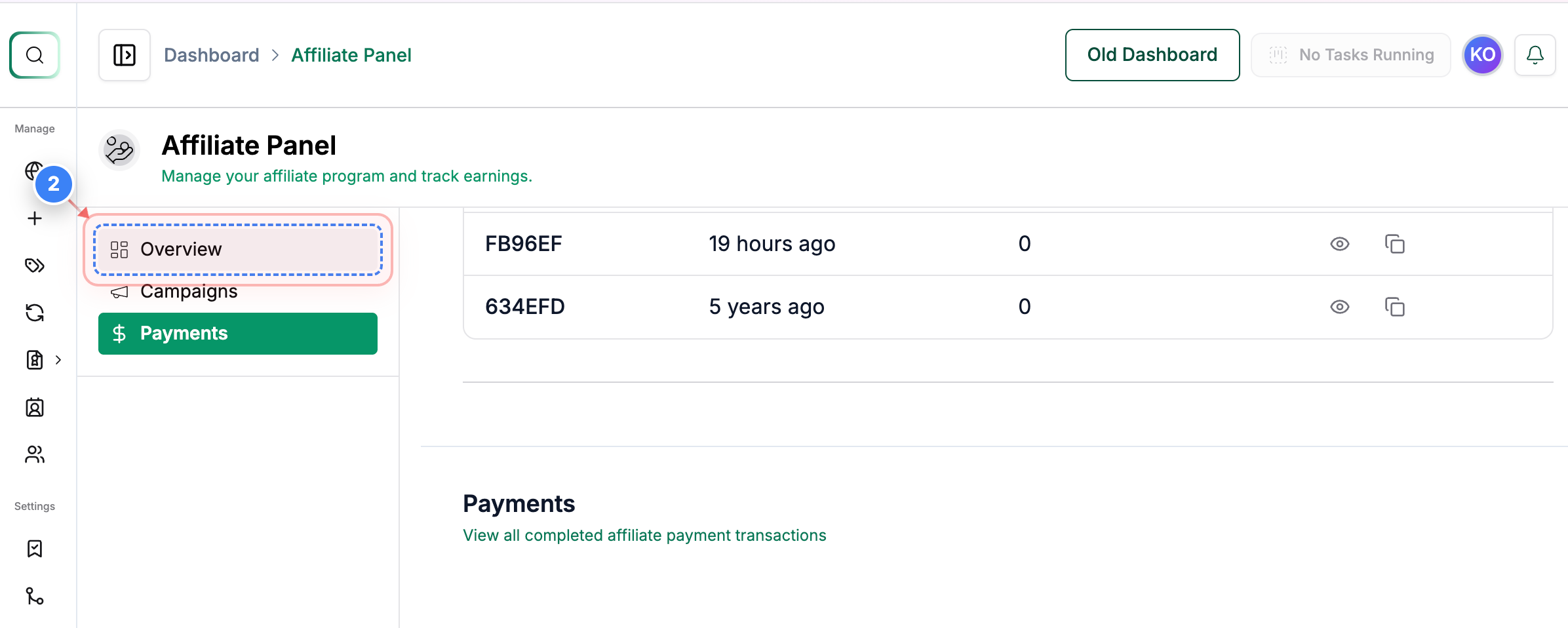
Click the Overview option in the left sidebar to view the main affiliate summary.
Note: Use this section to see your overall affiliate activity.
Step 3 of 4
Open Campaigns Section
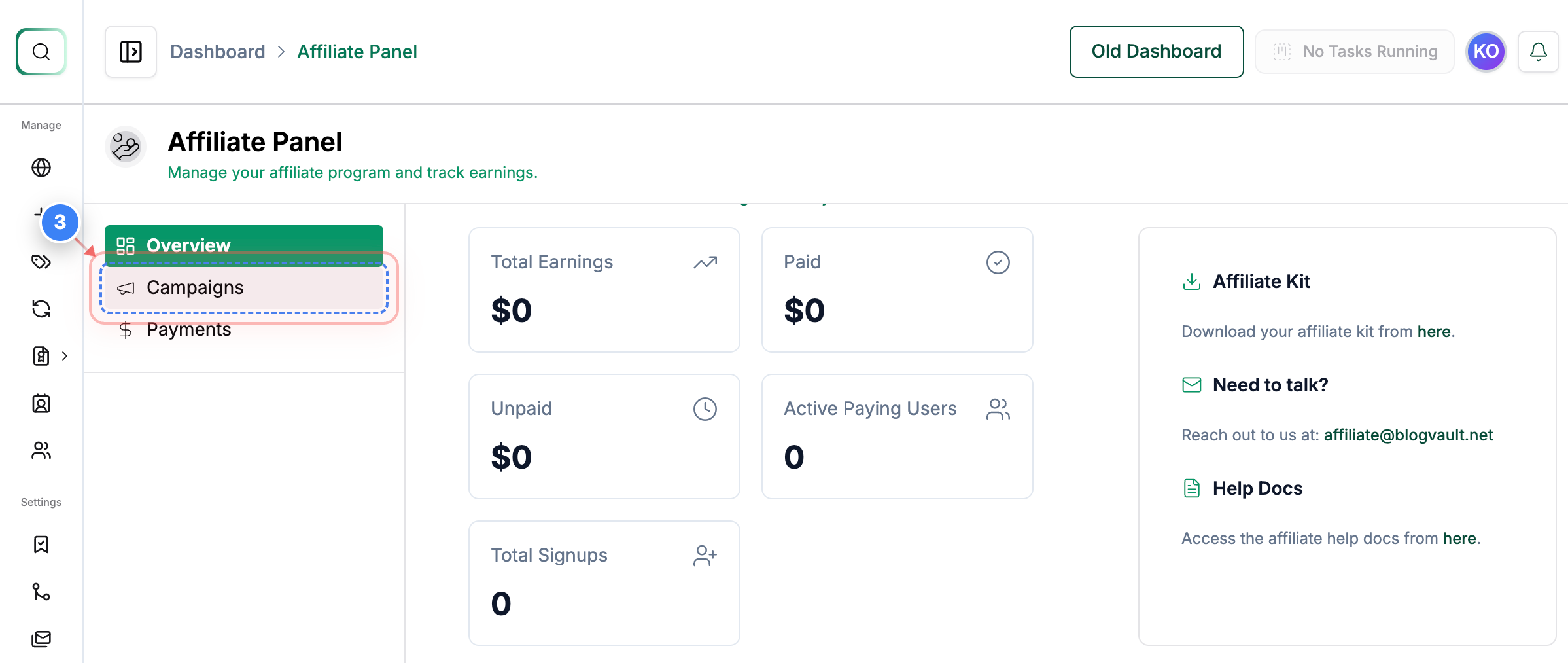
Click the Campaigns option in the left sidebar to view and manage your affiliate campaigns.
Note: This section lets you review performance and campaign details.
Step 4 of 4
Open Payments Section
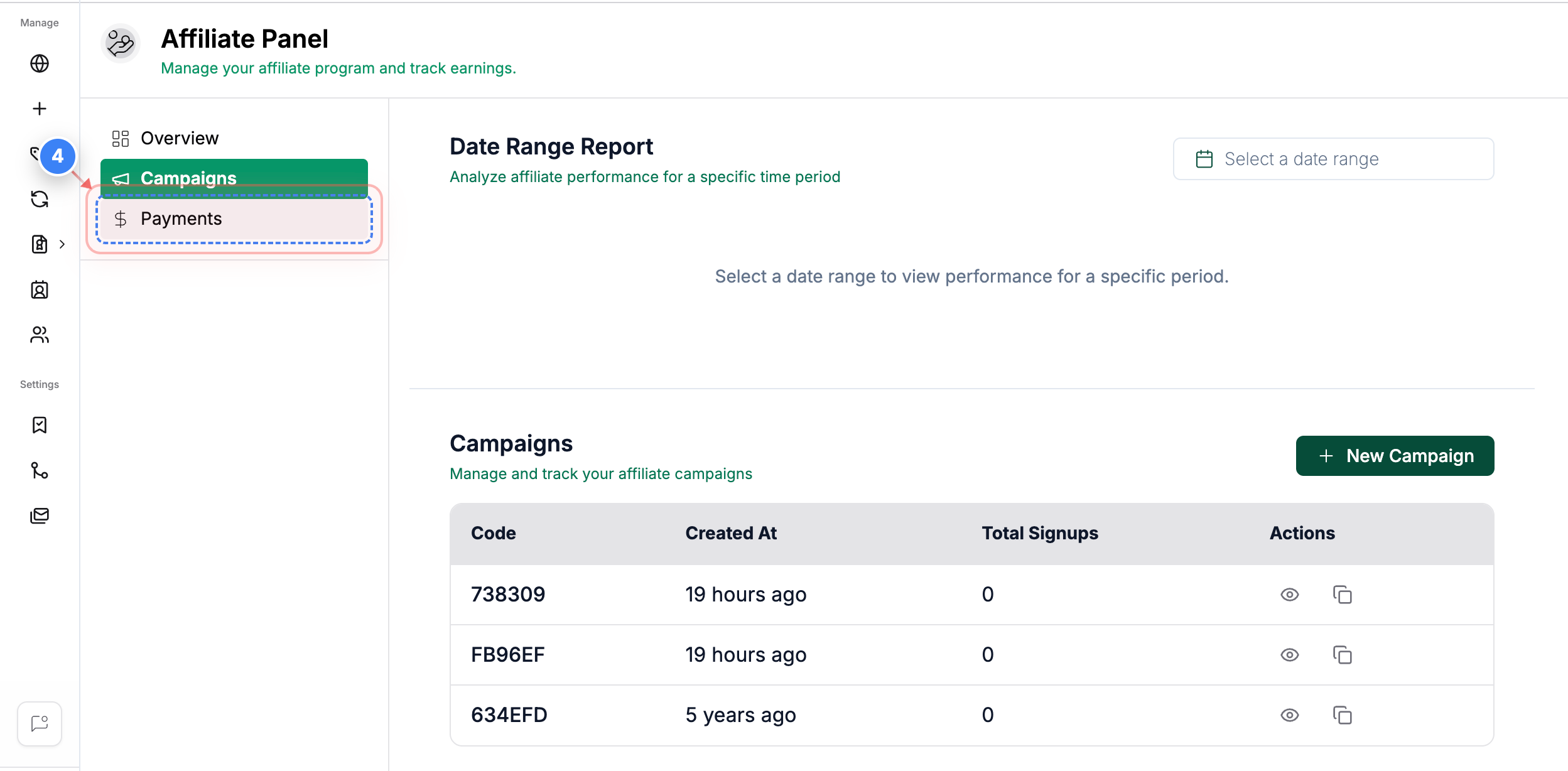
Click the Payments option in the left sidebar to see your payout history and earnings.
Note: You can review past payments and pending payouts here.